
So, you finally landed those hard-to-get tickets for your favorite band or the big game through Viagogo. That’s a huge win! But before you start mapping out your trip, you might be feeling a bit nervous about whether they’re actually the real deal.
It makes sense to worry. Since Viagogo is a resale site, you’re buying from another person rather than the venue itself.
I’ve been through plenty of ticket wars myself, so I get it. In this post, I’ll show you how to check if your tickets are legit and spot any red flags early. Let’s make sure you get through those gates without a single hitch!
5 Ways to Verify Your Viagogo Tickets
Making the effort to check ticket availability before an event can ease fears of missing out and give the attendee a greater chance of accessing the event once they arrive.
Here are 5 easy ways to verify a Viagogo purchase instantly:
| Verification Method | What to Look For | Why It Matters |
|---|---|---|
| Official App Check | Tickets appearing in the venue or primary ticketing app (like Ticketmaster). | Confirms the ticket has been officially transferred to your name. |
| Barcode Scan | A clear, unblurred barcode or a rotating QR code that refreshes. | Venues use this unique code to grant entry and prevent duplicates. |
| Venue Verification | Direct confirmation from the venue box office or official website. | The most reliable way to ensure the ticket is in the venue’s system. |
| Security Features | Holograms, watermarks, or official logos on physical and PDF tickets. | Hard-to-replicate details that signal a ticket is genuine and not a copy. |
| Seller Details | Proof of the original purchase or a high seller rating on the platform. | Helps you track the ticket’s history and ensures the seller is reputable. |
Knowing exactly what to click and look for will give you total peace of mind. Let’s see this in more detail.
1. The “Accept Transfer” Method (Digital Tickets)
If you bought mobile tickets, you usually won’t see them directly in the Viagogo app. Instead, keep a very close eye on your email for a “Ticket Transfer” invite. This is the gold standard for verification!
Most sellers use the official ticket provider, like Ticketmaster or AXS, to send the tickets directly to your email address.
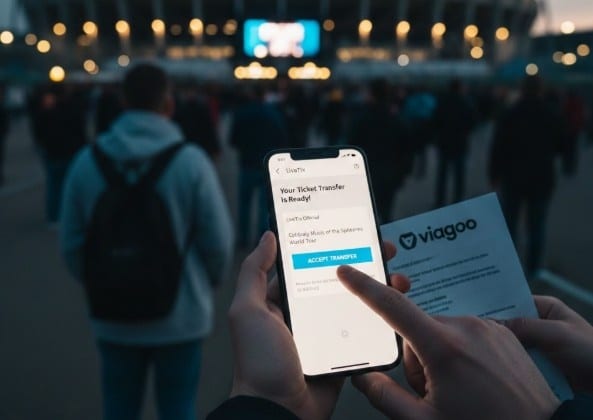
When you click “Accept Transfer,” the ticket moves into your own official account. This means the original seller no longer has access to it. It is one of the safest ways to know your ticket is 100% real.
If you haven’t received this email within the timeframe promised, do not be afraid to chase Viagogo support!
2. Contacting the Venue Directly
If just looking at a barcode doesn’t stop the nerves, your best bet is to call the venue’s box office. Have your section, row, and seat number ready to go.
Due to privacy laws, they cannot disclose the name of the original buyer, but they can verify their system to determine if that specific seat is a genuine, valid booking.
Just a heads-up: some venues can be a bit prickly about resale sites. If they ask how you got the ticket, keep it simple. Just say you’re confirming your seat details.
3. Spotting “Speculative” Listings
This is a term every fan needs to know. A speculative listing is when a seller lists tickets they do not actually have yet. They are basically “betting” that they can buy them later to give to you.
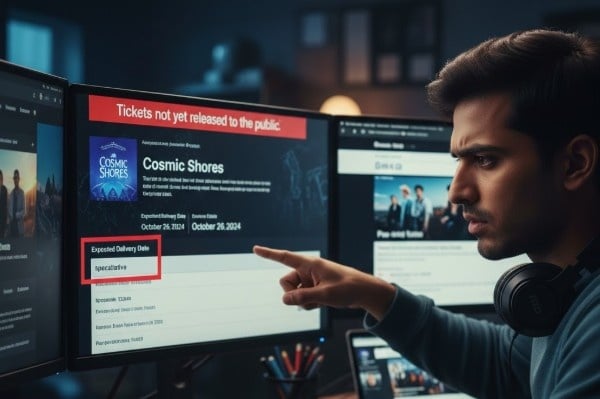
You can spot these if tickets for an event haven’t even gone on sale to the public yet, but people are already “selling” them on Viagogo. If your ticket delivery date is set for the very day of the event, it might be a speculative listing.
4. Physical Ticket Security Features
Got a paper ticket in your hand? It’s time to do a little detective work. Genuine tickets aren’t just printed on regular printer paper. They usually have a certain weight and a unique feel to them.
Keep an eye out for holograms that shimmer or change colors when you tilt them under the light. Take a real close look at the printing, too. Fakes often look a bit blurry or pixelated because of low-quality printers.
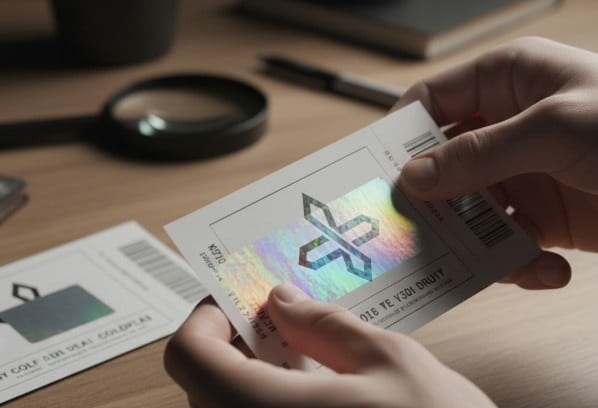
Real ones, however, have super sharp lines and tiny details that are tough to copy.
Don’t forget to check the simple stuff, like the date or the artist’s name. It sounds silly, but scammers often mess up the spelling or even the day of the week!
What is the Viagogo Guarantee?
Viagogo uses the FanProtect Guarantee to keep you safe.
This is their way of promising that your tickets will show up on time and work at the gate. If a seller flops or the tickets are fake, Viagogo is supposed to jump in. Usually, they’ll try to find you better seats for free or just give you a full refund.

The best part? Viagogo actually holds onto the seller’s money until after the show is over. Since the seller doesn’t get paid until you’re safely inside, they have a huge reason to make sure the tickets are legit.
Just a heads-up: if you do get stuck at the door, call their support team right away.
Conclusion: Verify Your Viagogo Tickets Using Official Apps
Buying from a resale site often feels like a gamble, but being prepared changes everything. Viagogo does offer a guarantee, but doing your own checks through official apps or the venue is what really helps you relax.
No fan wants to feel stressed while waiting in line at the gate. By watching for red flags and making sure your digital transfer is fully finished, you can stop worrying.
Instead, you can focus on what you actually came for: the music and the memories! It’s all about making sure your big night goes off without a hitch.
More Interesting Reads:
FAQs
The clearest sign is getting a direct transfer in the venue’s official app. For paper tickets, check for crisp printing and holograms that shimmer when you tilt them under a light.
Accepting a mobile transfer via Ticketmaster is usually the safest bet. You can also call the venue box office and ask them to confirm if your specific seat is actually registered.
Just sign in to your account and head over to “Orders” or “My Tickets.” You can track the status there, grab your PDF files, or see if a transfer is waiting.
Look for security marks like watermarks or shiny holograms. Make sure the barcode is sharp, not blurry, and try syncing the ticket with the event’s official primary ticketing app if possible.
Message their support right away to use the FanProtect Guarantee for a refund. If that fails, call your bank for a chargeback and report the fraud to the proper authorities.